Add an expense
Guide · Money
Log what you paid and who it was for. Freya works out who owes who.
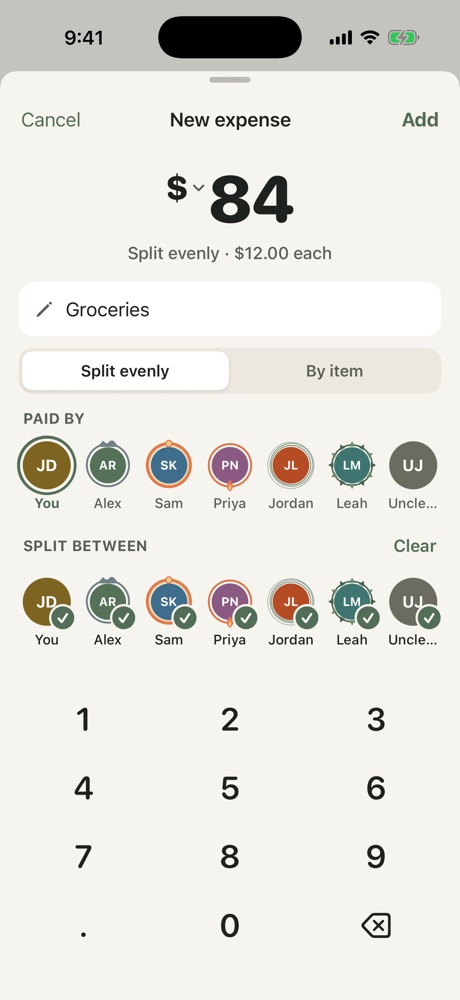
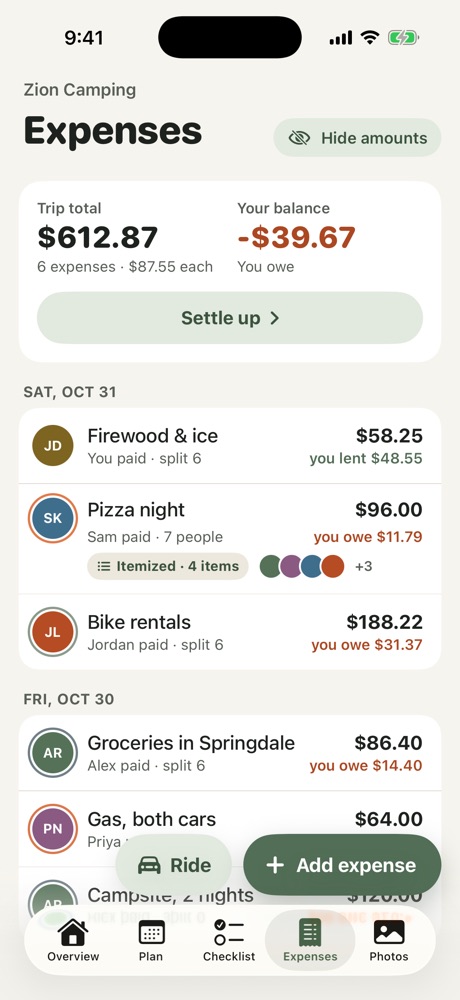
- Open the Expenses tab and tap Add expense.
- Type the amount and what it was for.
- Choose who paid and who to split it between.
- Tap Add.
Other ways to add
- Scan a receipt: point your camera at a receipt to fill in the total.
- Foreign currency: tap the currency next to the amount. Freya converts it to dollars for you.
- Ride: split an Uber or Lyft with whoever was in the car.
- By item (Pro): split a receipt line by line, with tax and tip shared fairly.
To edit or delete an expense, tap it, or swipe it.
More in Money
Still stuck? Email contact@freyatripplanner.com or search the guide.