Create a trip
Guide · Getting started
Name it, pick where and when, and you're ready to invite people.
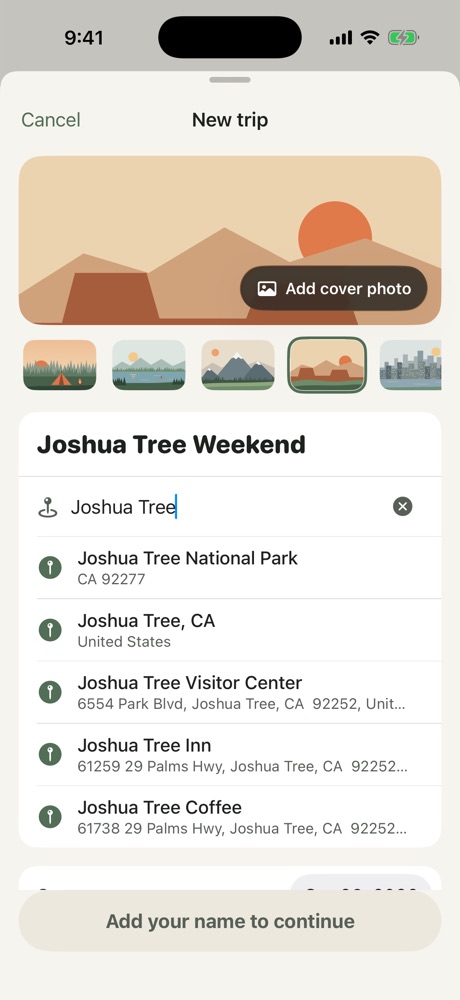
- On the Trips screen, tap New trip.
- Give the trip a name, like "Zion Camping" or "Sam's Bachelor Party".
- Type where you're going and pick it from the list. Freya picks a cover illustration that fits the place, or tap Add cover photo to use your own.
- Set the start and end dates.
- Add your name, so the group knows who you are, and tap Create trip.
You're the organizer of any trip you create. The organizer can edit trip details, remove people and delete the trip for everyone.
Tip: You can add a Trip Pass ($5.99) while creating the trip to turn on Pro for everyone right away. It's optional, and you can add it any time later.
More in Getting started
Still stuck? Email contact@freyatripplanner.com or search the guide.