Run a poll
Guide · Planning together
Let the group vote, then put the winner straight on the itinerary.
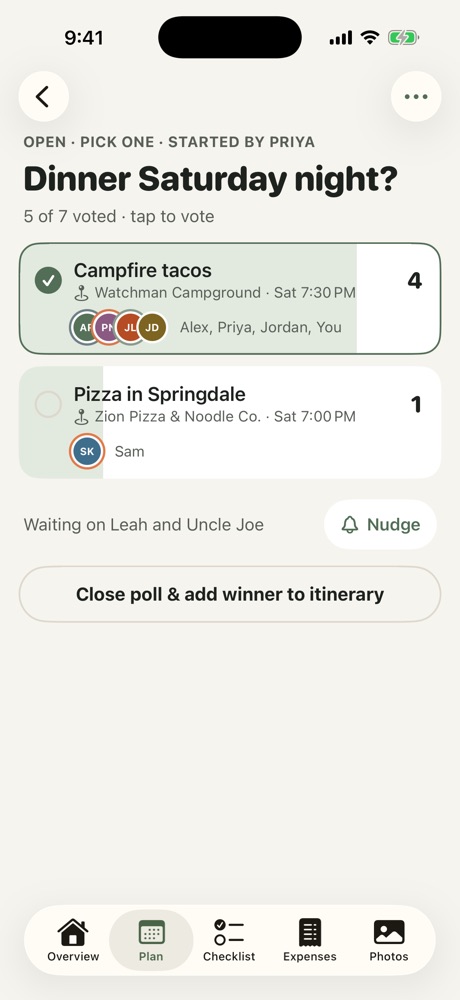
- Open the Plan tab, choose Polls and tap +.
- Write the question and at least two options.
- Turn on Add the winner to the itinerary to give each option a place, day and time.
- Choose whether people can pick more than one option, then tap Post.
Everyone sees who voted for what. Tap Nudge to remind whoever hasn't voted yet.
Closing a poll
Tap Close poll & pick winner. The option with the most votes wins. If it's a tie, you choose which option wins. If the options had places and times, the winner goes onto the itinerary automatically.
- Pin to notes: keep the result in the trip's shared notes.
- Reopen poll: changed your minds? Reopening takes the winner back off the itinerary.
More in Planning together
- Use the shared checklist
- Plan the itinerary
- Bring in a plan from a doc or AI chat
- Stay, flights and the meetup
- Notes, search and calendar
- Ask Freya
Still stuck? Email contact@freyatripplanner.com or search the guide.