Stay, flights and the meetup
Guide · Planning together
The address, door code, Wi-Fi and who lands when, in one place.
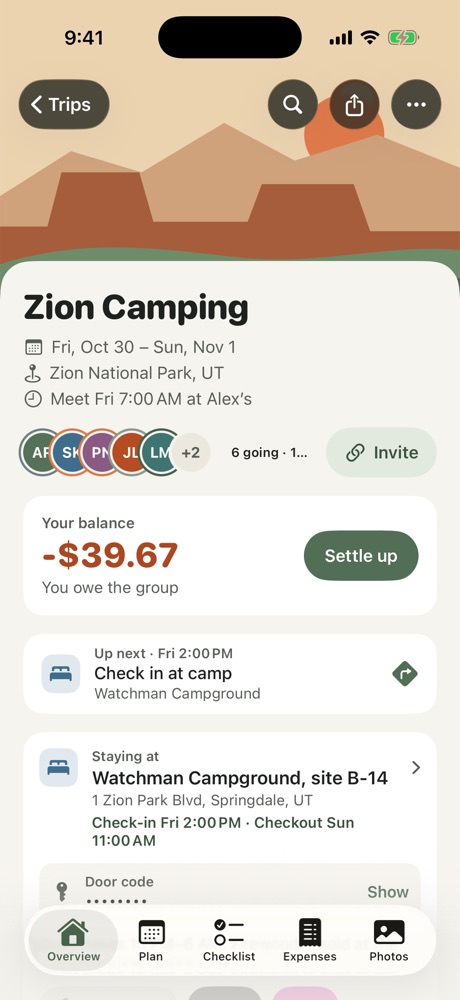
Where you're staying
On the Overview, tap Where are you staying? to add the address, check-in and checkout times, the door code and the Wi-Fi. Everyone on the trip can see it. The door code stays hidden until someone taps to show it, and the Wi-Fi password copies with one tap.
Staying in more than one place, like an airport hotel the first night? Tap Add another place. Turn off Everyone to pick who's staying there. The card shows where you're staying now, and the others are listed under it.
Flights
Tap Flying? to add your flight, or someone else's, so the group knows who lands when on the way there and back. Anyone can add as many flights as they need.
On the itinerary, a landing flight has a button to add the ride from the airport to where those people are staying.
The meetup
Set when and where everyone meets on departure day. On that day, Freya shows a countdown on your Lock Screen.
More in Planning together
- Use the shared checklist
- Plan the itinerary
- Bring in a plan from a doc or AI chat
- Run a poll
- Notes, search and calendar
- Ask Freya
Still stuck? Email contact@freyatripplanner.com or search the guide.